Meter
Meters track a number that changes over time — power usage, water, machine running hours, anything you need to watch regularly, complete with warning limits.
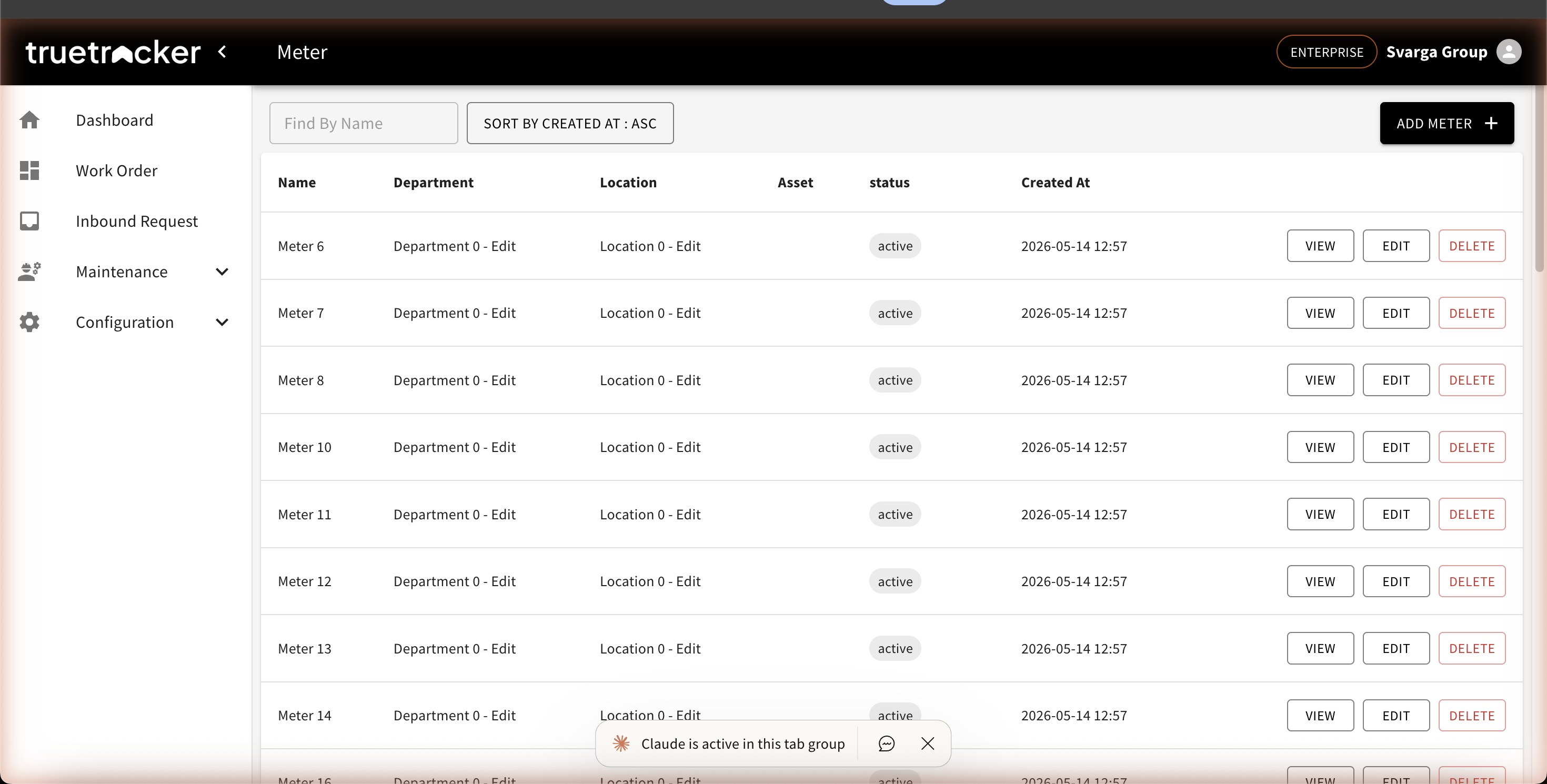
Meter List
Go to Maintenance → Meter. The list shows each meter's name, department, location, linked asset, status (active/inactive), and creation date. Click Add Meter to create a new one.
Meter Detail
Click View on a meter to open its detail page.
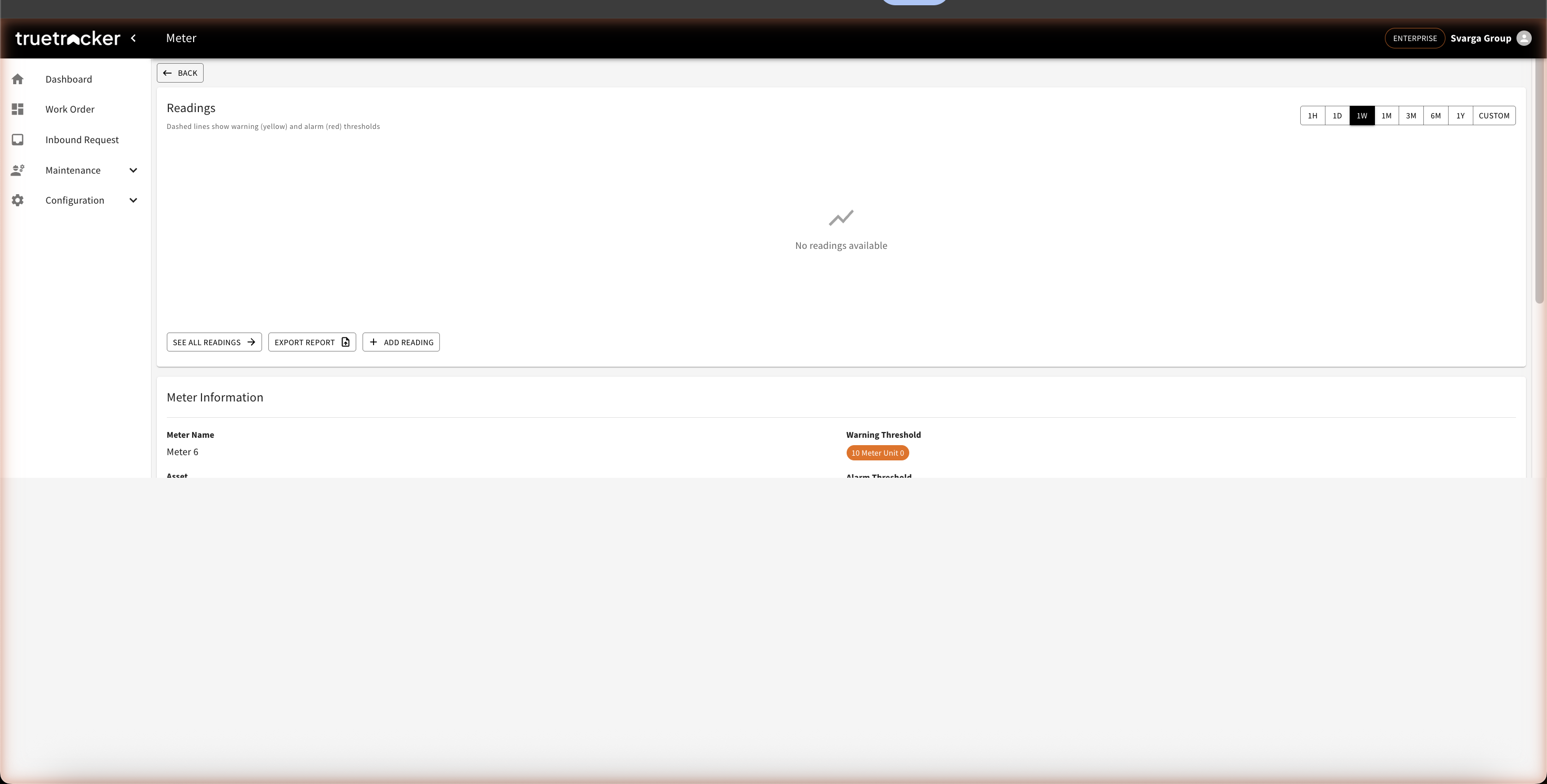
Reading Chart
The top section shows a chart of the meter's readings over time. Switch the time range with the 1H, 1D, 1W, 1M, 3M, 6M, 1Y buttons, or pick your own range with Custom. Two dashed lines on the chart mark the Warning (yellow) and Alarm (red) thresholds — once a reading crosses one of these, you know something needs checking.
- See All Readings opens the full list of every reading ever logged
- Export Report downloads a reading report as PDF or Excel
- Add Reading logs a new reading — on the web, you can also attach a photo to each reading
Meter Information
Below the chart is a breakdown of the meter: name, linked asset, department, location, unit, description, and the Warning Threshold / Alarm Threshold values with their units.
Editing and Deleting
Click Edit to update the meter's details, or Delete to remove it from the list.