Part
A catalogue of the components you use for repairs — part number, type, and which vendors can supply it.
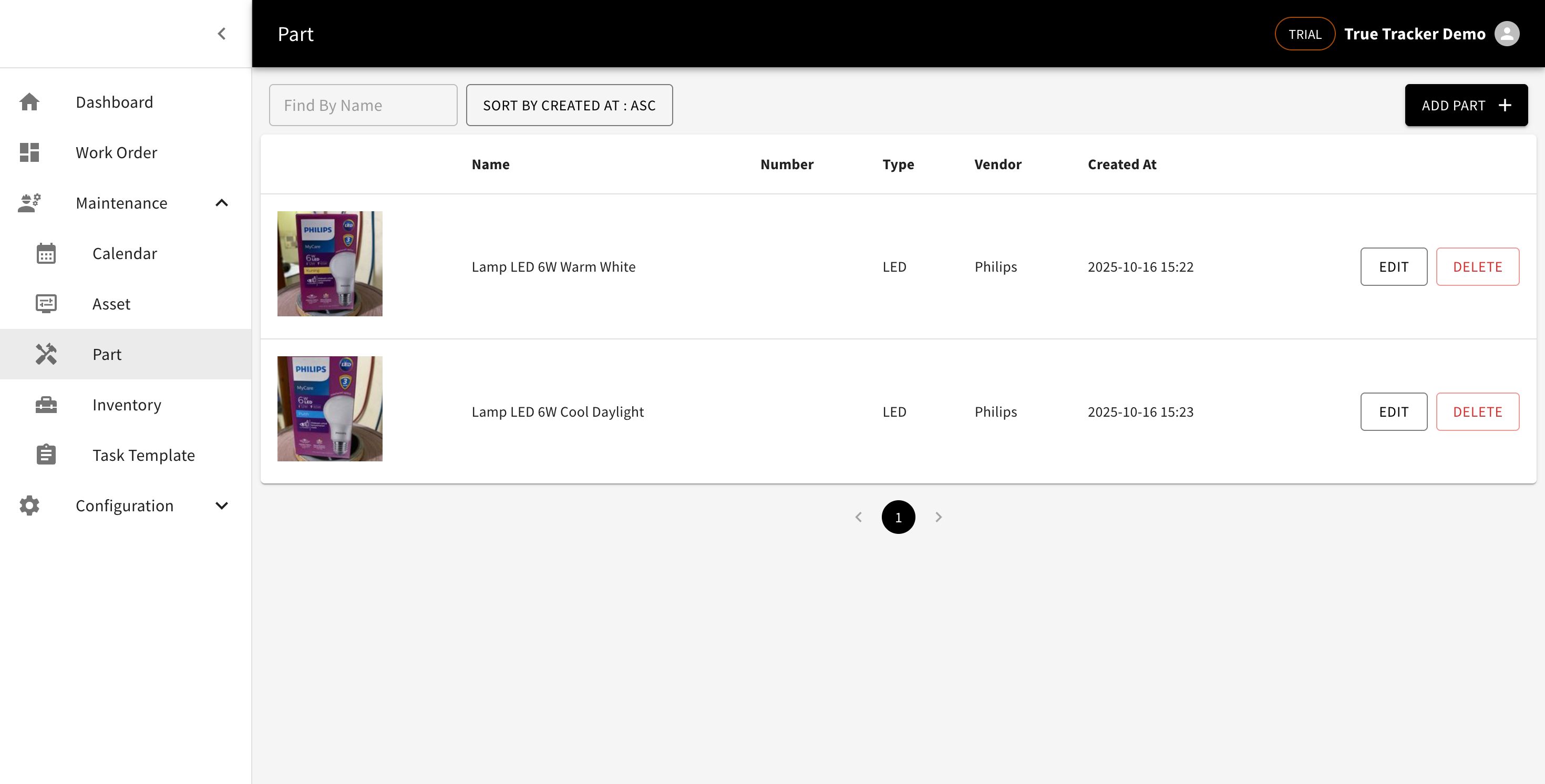
Part List
Go to Maintenance → Part. The list shows a photo, name, part number, type, and linked vendors.
Adding a Part
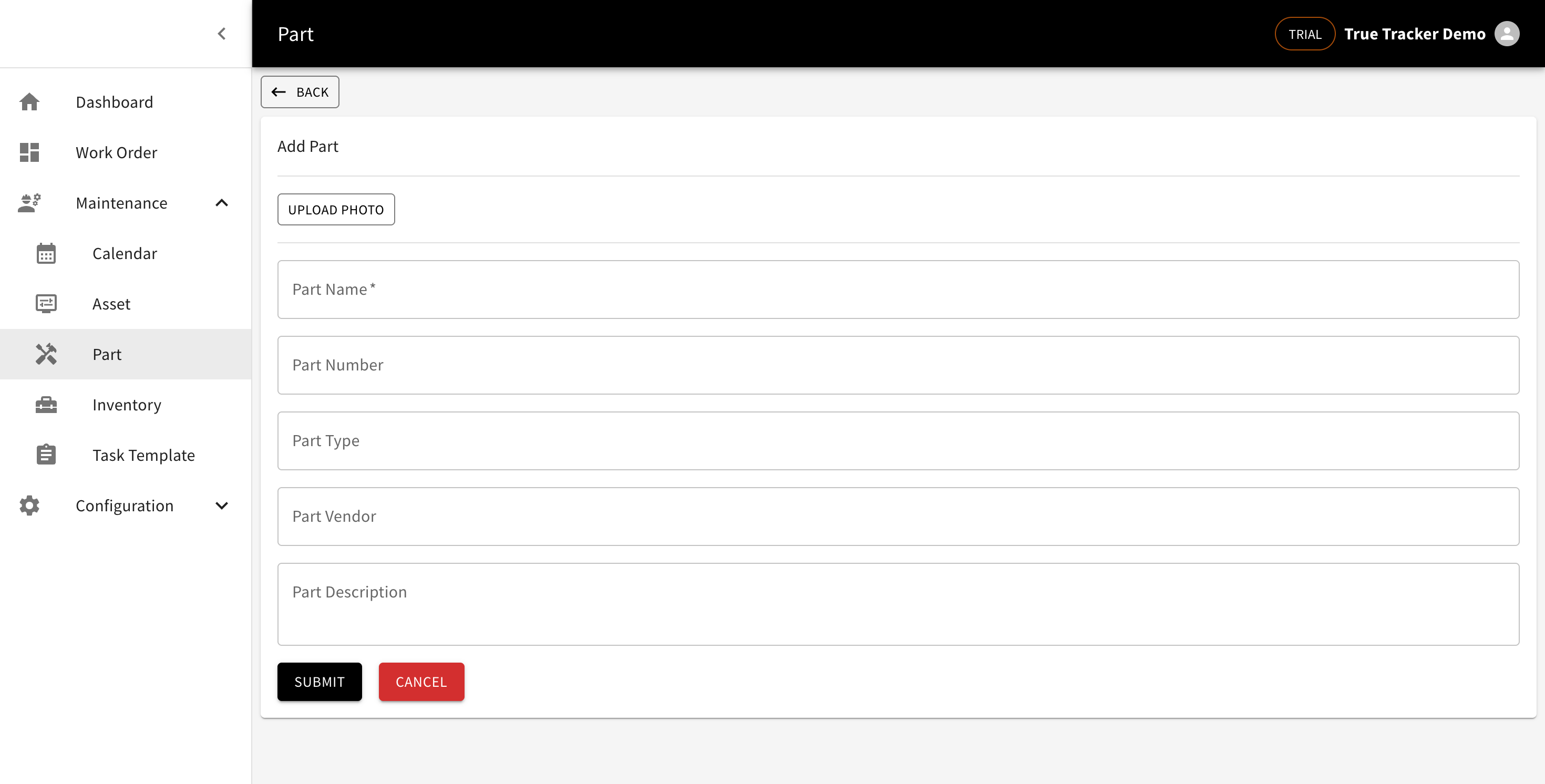
Click Add Part, then fill in a photo, part name, part number, part type, one or more supplying vendors, and a description.
Note: this page doesn't track stock quantity — for that, see Inventory.
Editing and Deleting
Click Edit to update it, or Delete to remove the part.