Team Management
A group of users within one department, with a WhatsApp group attached for quick coordination.
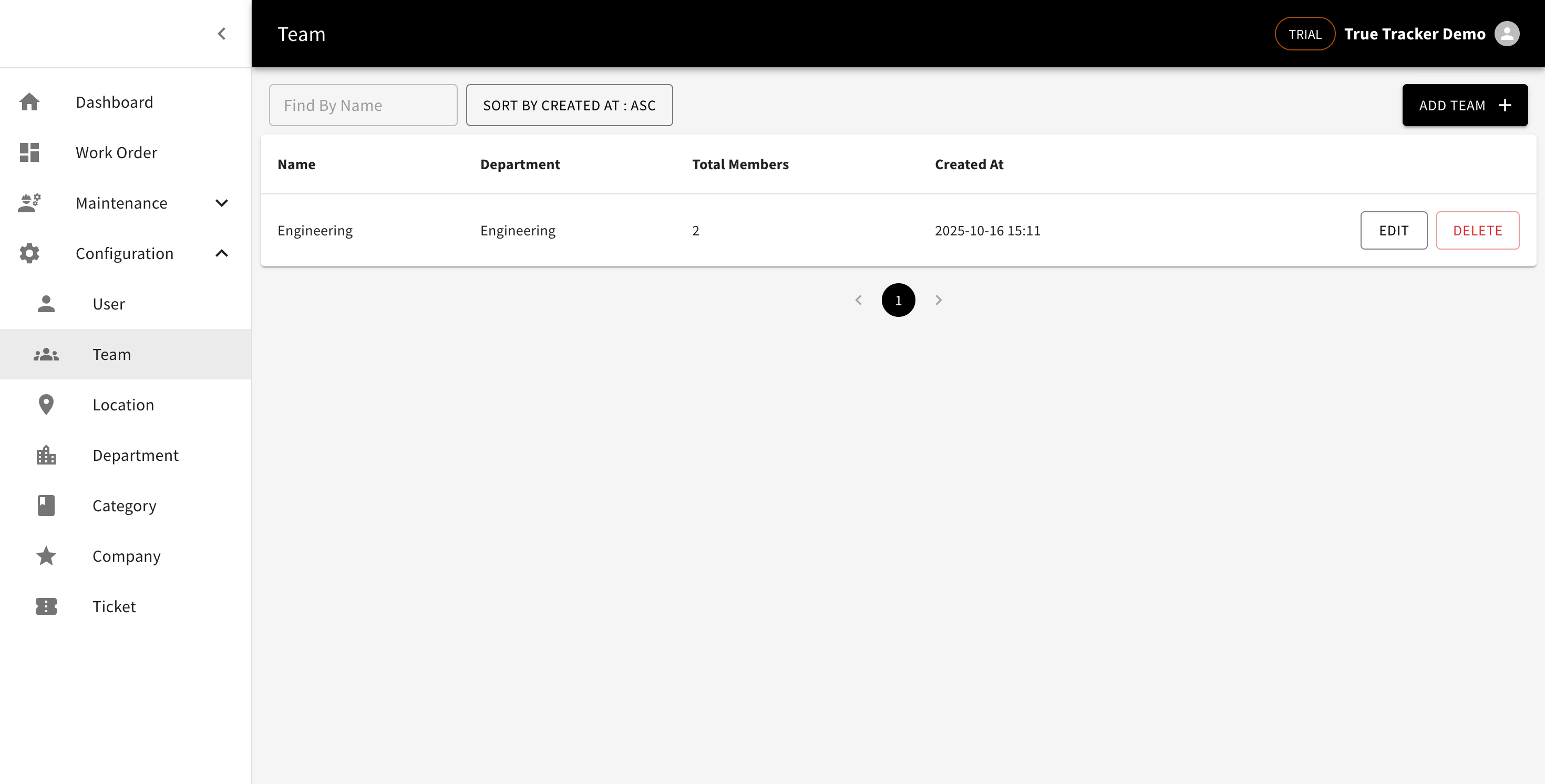
Team List
Go to Configuration → Team. Columns: name, department, member count, and creation date.
Creating a Team
Click Add Team, then fill in a name, department, WhatsApp Group Id (optional), and pick its members.
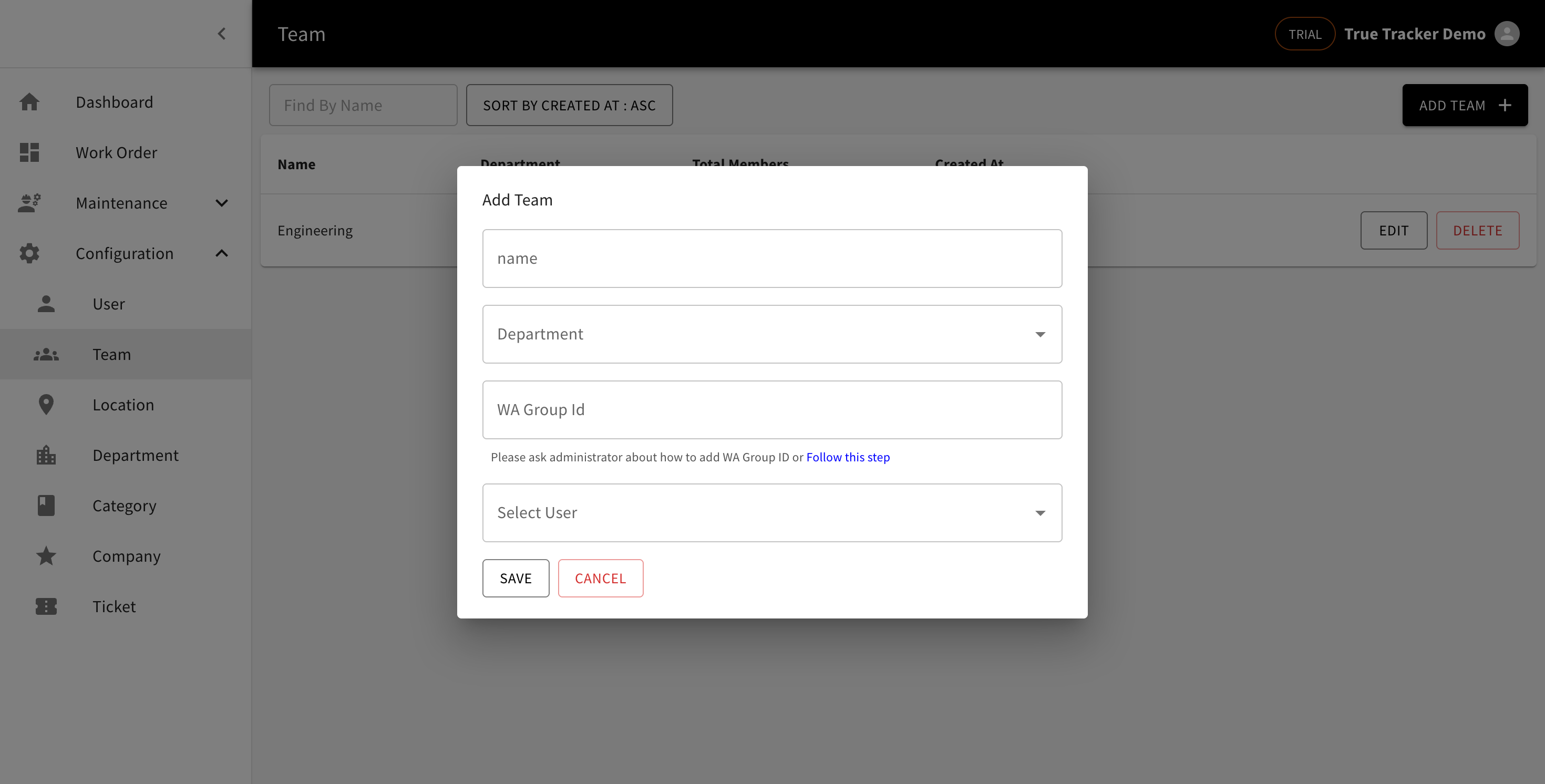
Finding the WhatsApp Group Id
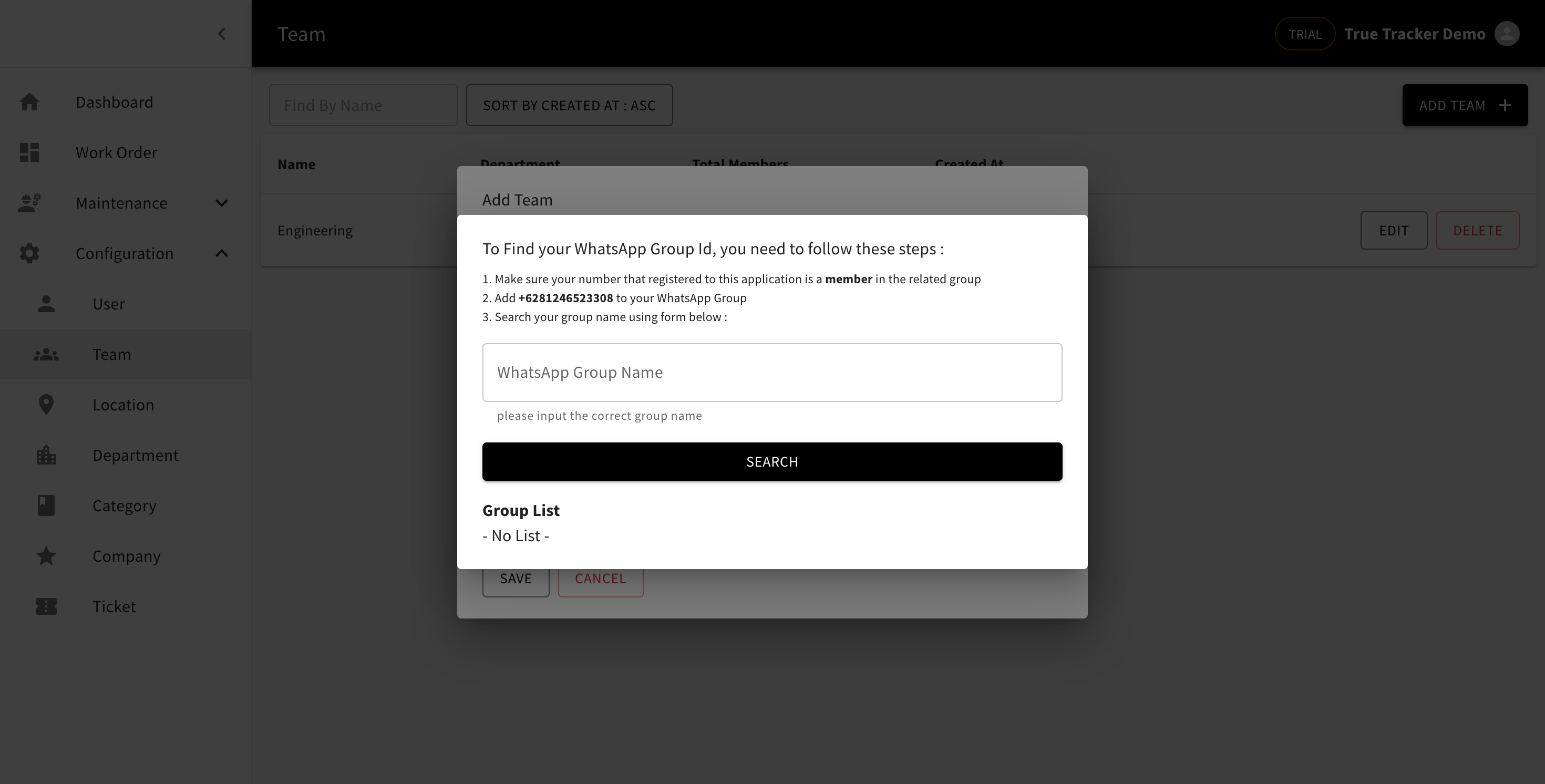
If you don't know it yet, click Follow this step next to the WA Group Id field — it walks you through asking an admin to add a specific number to your WhatsApp group, then searching for the group's name in that same dialog to get its ID.
Editing and Deleting
Click Edit to update it, or Delete to remove the team.