Maintenance Calendar
Recurring and one-off maintenance schedules for your assets, shown as a calendar.
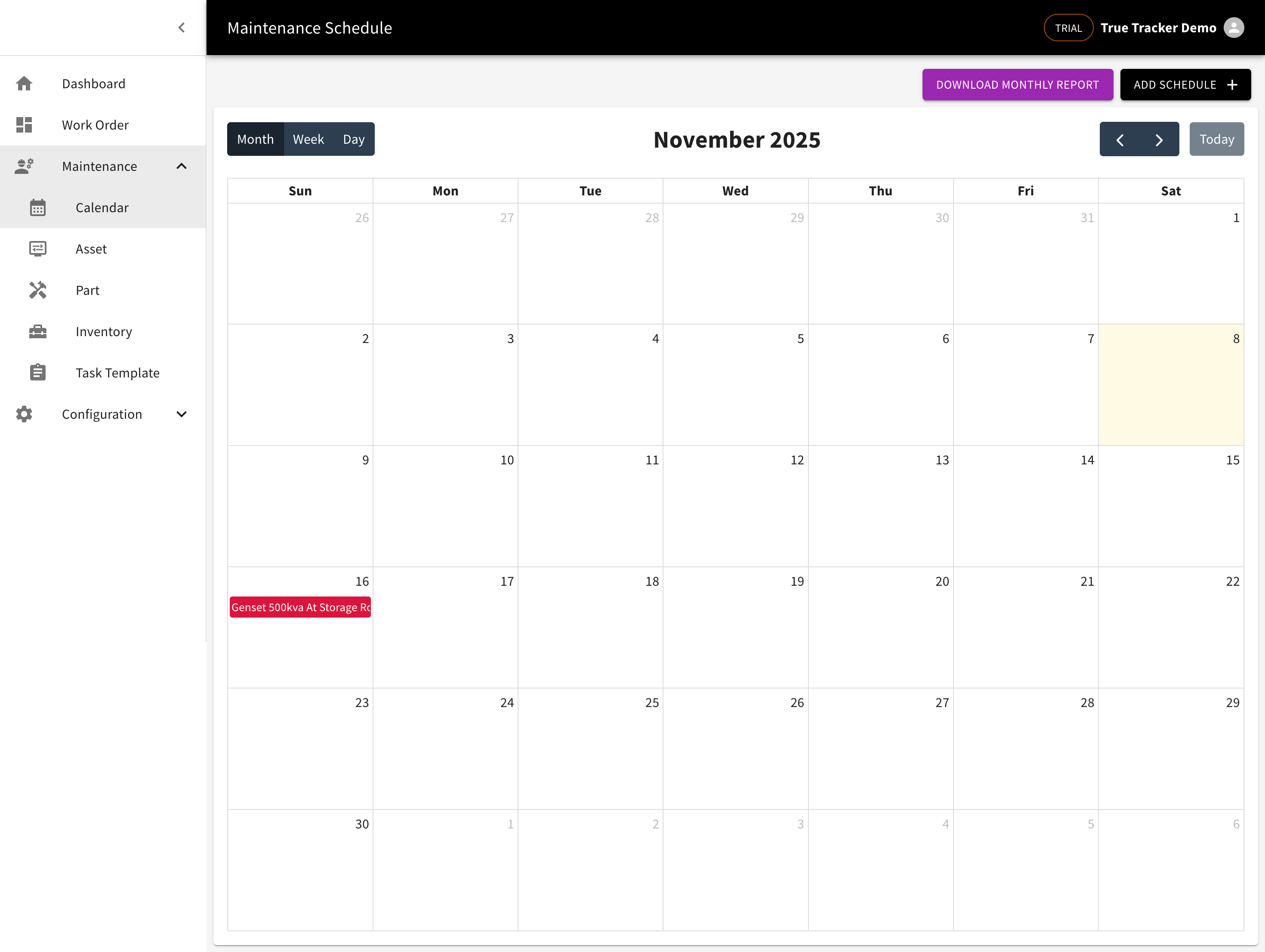
Opening the Calendar
Go to Maintenance → Calendar. Switch views with the Month, Week, or Day buttons, and move between periods with the arrow buttons or Today.
Creating a Schedule
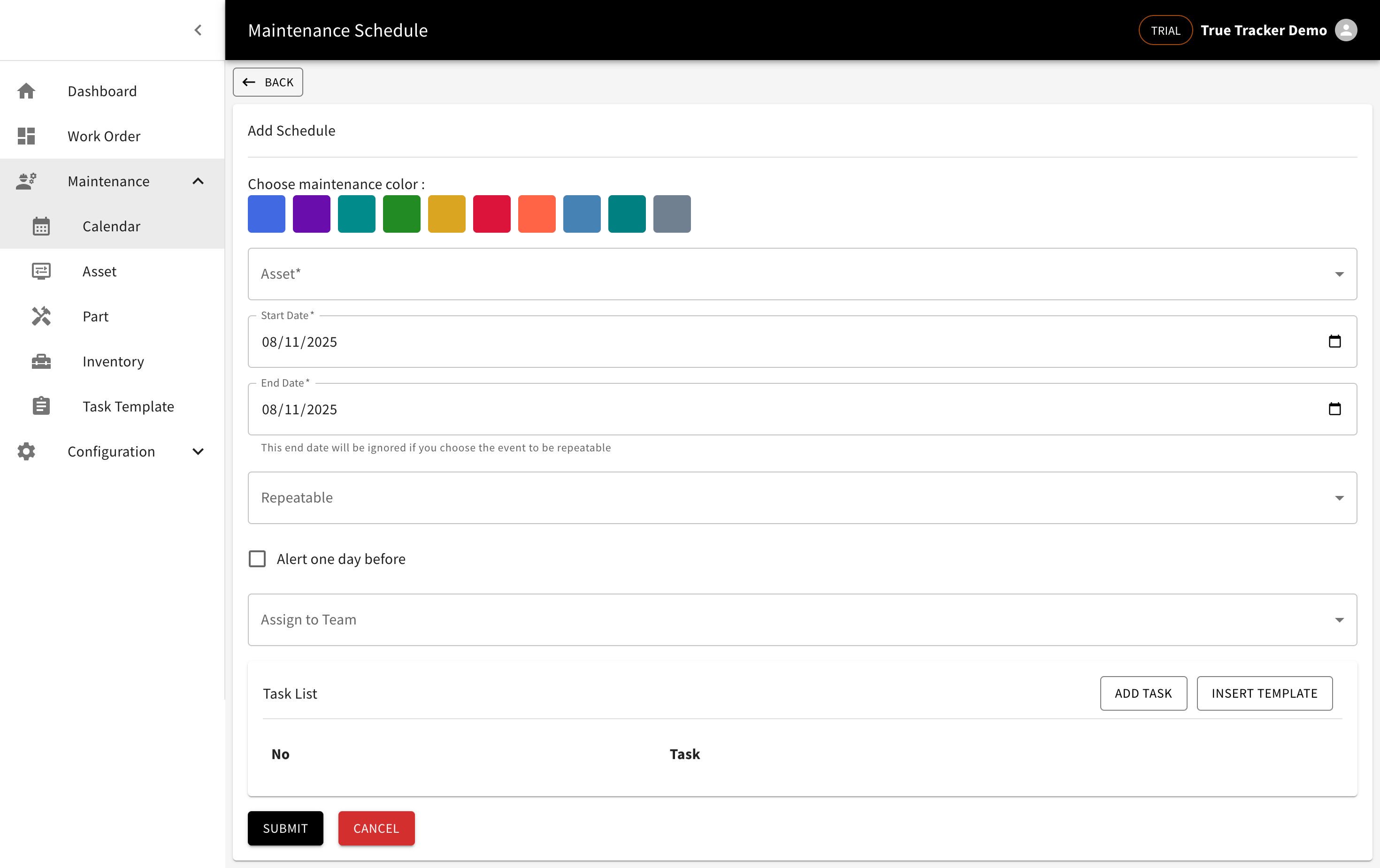
Click Add Schedule, then fill in:
| Field | Notes |
|---|---|
| Asset | The asset being maintained (required) |
| Start Date / End Date | End date is ignored if the schedule repeats |
| Repeatable | None, Weekly, or Monthly |
| Interval | Appears once Repeatable is set, e.g. "Every 1 Week" |
| Alert one day before | Check to get a reminder a day ahead |
| Assign to Team | The team responsible |
Below that is a task list for this schedule — add tasks one at a time with Add Task, or click Insert Template to pull in tasks from a Task Template you've already made.
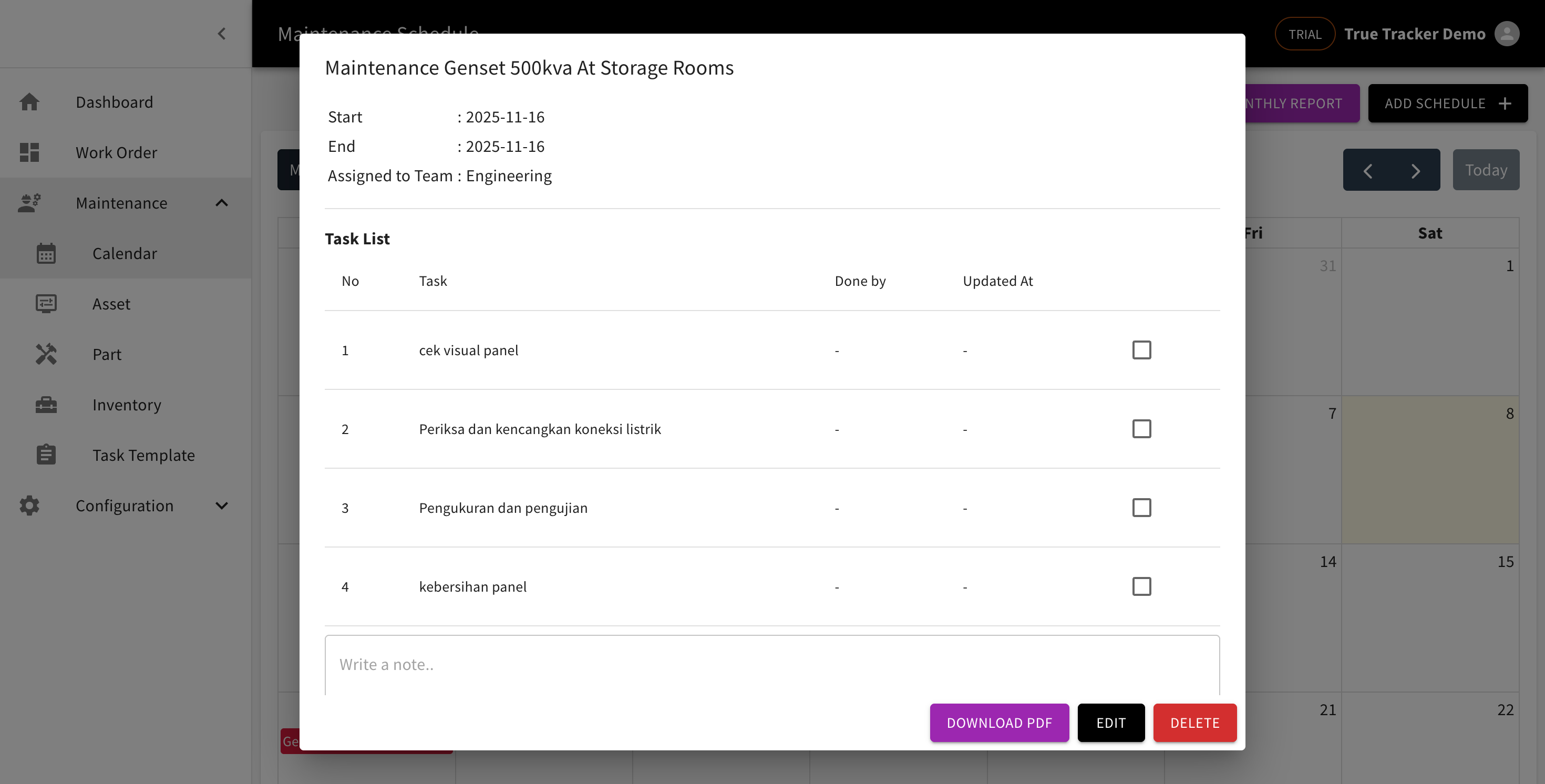
Viewing and Managing a Schedule
Click an event on the calendar to open its detail: start/end time, the assigned team, and its task list. From here you can Download PDF, Edit, or Delete the schedule.
Downloading a Monthly Report
Click Download Monthly Report to download a PDF summary of every maintenance schedule in the month currently shown.